
Whatnot label printing, while the show is still running.
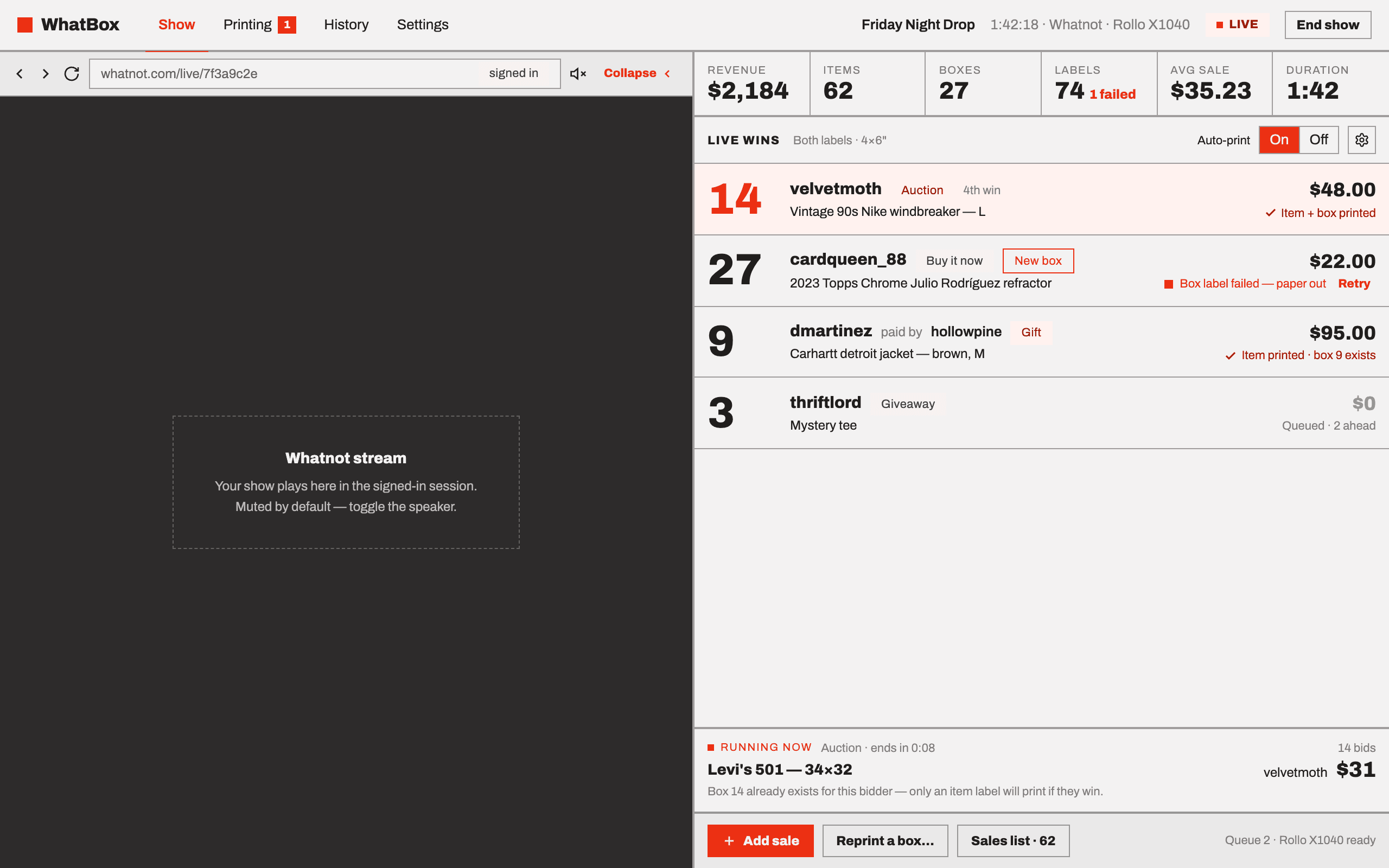
WhatBox is a desktop app that watches your Whatnot show and prints each label the moment the sale confirms. Every buyer gets one box number for the whole night, so a person who wins four times has four items in one box — not four boxes to reconcile at midnight. It runs on Mac and Windows and prints to the thermal printer you already have.
14 days, no card. Then $11.99 per month, two computers per licence.
Why writing labels by hand stops working
A slow show is fine with a marker and a stack of boxes. A fast one is not. The auctions do not wait for you to finish writing, so items pile up unlabelled and you sort them from memory after the stream ends — which is where the wrong item goes to the wrong buyer, and where an hour of the night disappears.
The fix is not writing faster. It is having the label already printed and attached before the next lot opens, so an item and its box number never travel separately.
How to print Whatnot labels automatically
Setup runs once and takes a few minutes. After that every show is the same four things, and three of them are WhatBox's job.
- 01
Install and sign in to Whatnot
Download WhatBox for Mac or Windows and sign in to Whatnot inside the app. It reads the show you are already running — there is nothing to configure on Whatnot's side.
- 02
Pick your printer and label size
Setup lists the printers your computer already has, shows which are ready and which are offline, and finishes with a test print. Box labels go at 4 × 6; item labels use the smaller stock. You can send box labels to a second printer if you keep one.
- 03
Run your show
Auction wins, Buy It Now purchases and gifts all arrive on their own as they confirm. You can still add a sale by hand, or import a Whatnot order export, when you need to.
- 04
Labels print as sales land
Each label prints the moment its sale confirms. A job that fails says why, keeps its place in the queue and retries, and you can reprint anything at any time.
What prints, and when
The rule is one box per buyer, per show. It is the whole reason the labels are worth printing.
First win of the night
The buyer is given a box number and both labels print: one for the box, one for the item.
Every win after that
Same buyer, same box, all night. Only an item label prints, because the box already exists and already has its label on it.
A gift
Routes to the box of whoever is receiving it, not the person who paid for it.
Printers and label sizes
WhatBox prints through the printer your computer already has installed rather than talking to hardware itself, so any thermal label printer your Mac or Windows machine can print to will work. If a driver update renames your printer — Windows does this — the app tells you which jobs are stuck and keeps them queued until you reselect it.
You can also skip the printer entirely and use WhatBox only to assign boxes and track a show.
More on printers, sizes and setup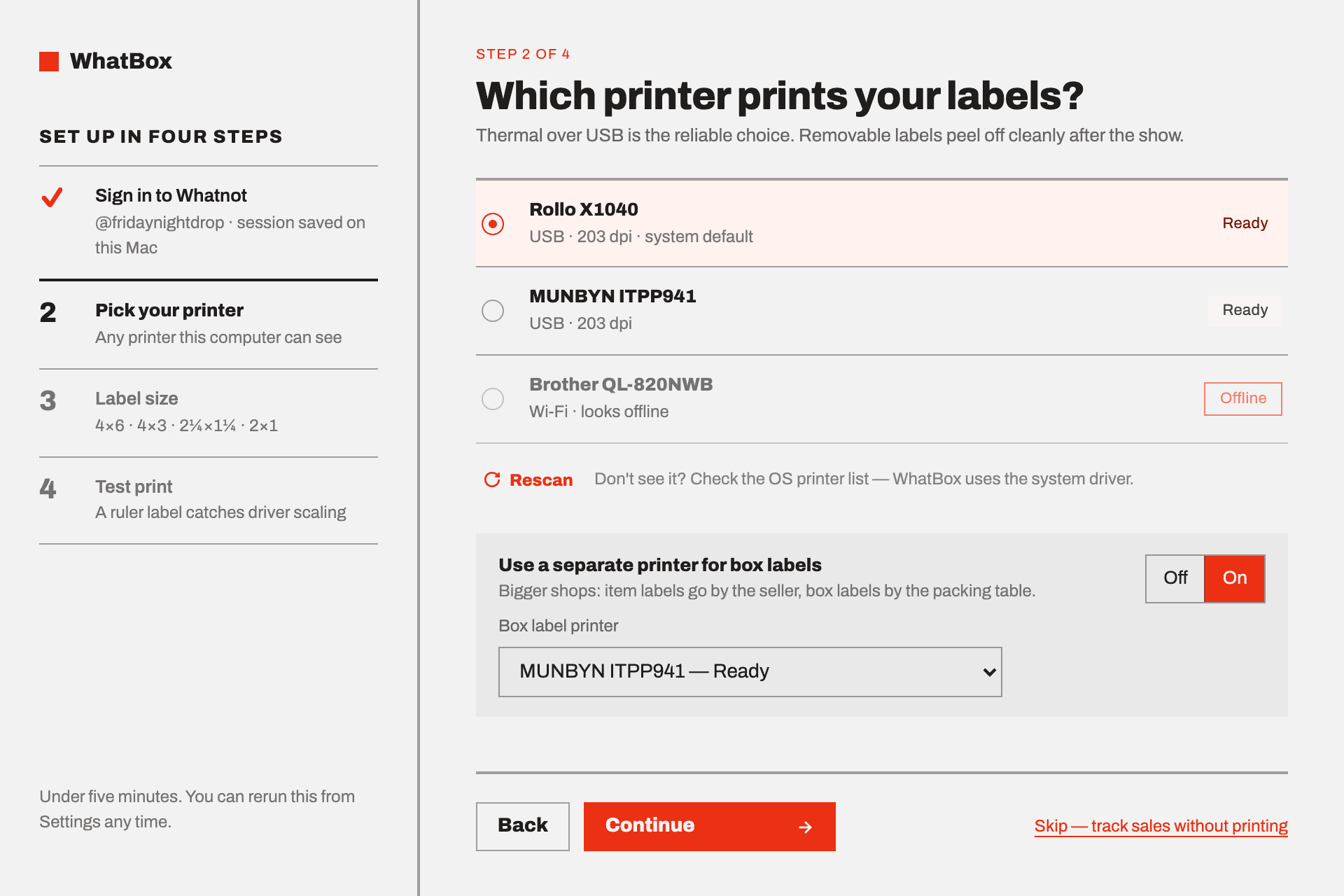
The labels are only half of it
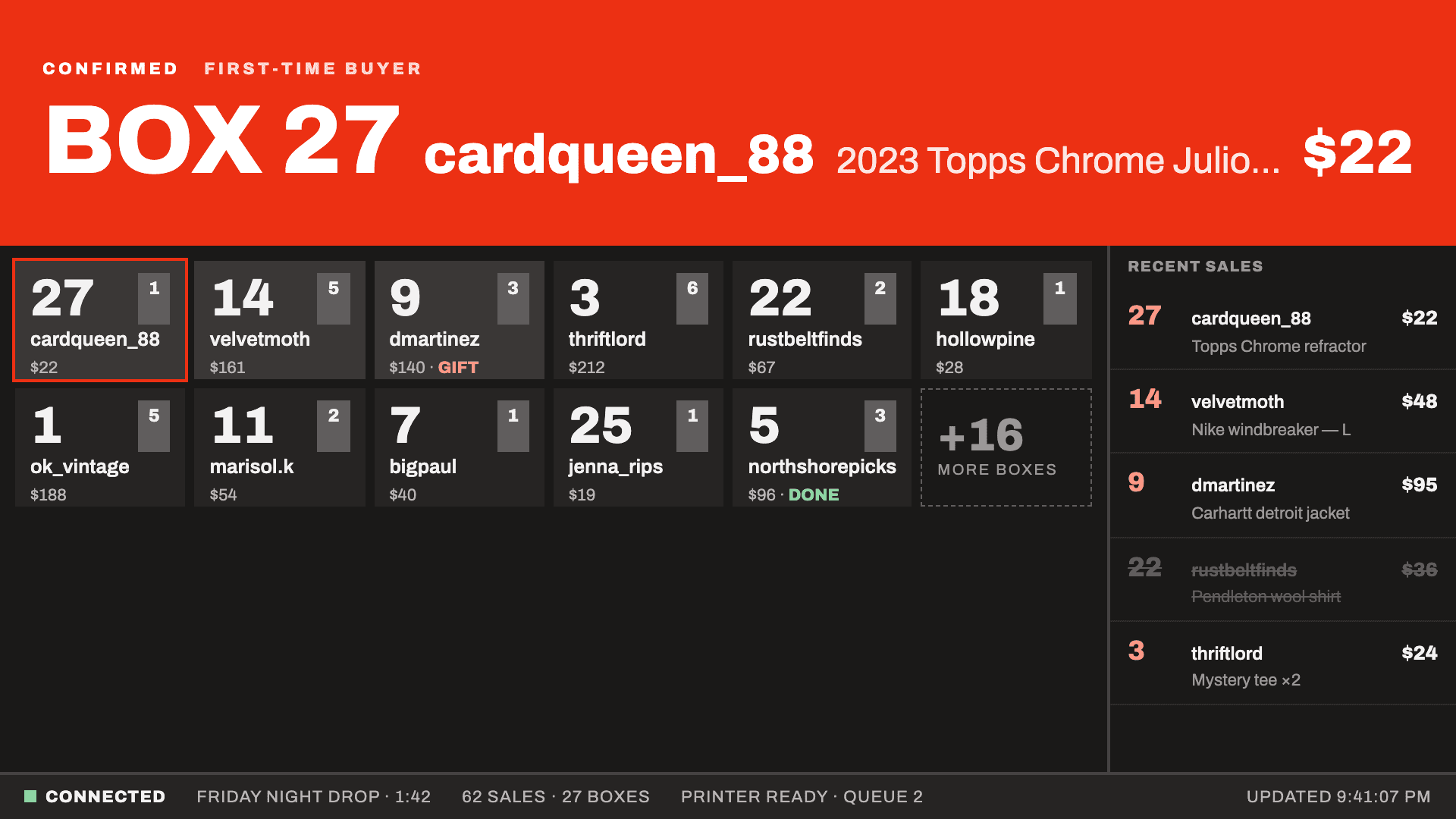
A printed label is no use if the person packing has to ask you which box it belongs to. WhatBox serves a TV dashboard and a tablet packing view over your own network from the same app, so the room reads the next box off a screen instead of leaning over your laptop. The tablet view has search, Mark done and Reprint, and its rows never reorder under the person using it.
Printing you can still trust at the end of the night
It prints without the internet
Your licence is checked against a signature your computer already holds, so a venue with bad wifi cannot stop you starting a show — and if our licensing service is down it makes no difference to a show already running.
Failed jobs say why
Paper out, printer offline, a driver that renamed itself. The job keeps its place in the queue and retries rather than vanishing.
The summary counts them
Every end-of-show summary lists labels printed, jobs that failed, sales voided and any minute the connection dropped — in red. Reconcile against your Whatnot order export when you want to be certain.
Print your next show's labels
Fourteen days with everything switched on and no card. After that it is $11.99 per month with tax included, two computers per licence, cancellable from your licence page.